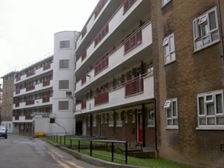
Welcome to Southwark Homesearch
Welcome to Southwark's Homesearch website, allocating council and partner housing association properties for rent within the borough.
We aim to give you more choice in deciding where you want to live. Properties that are available for rent will be advertised each week. In order to register for the Social Housing waiting list please register at www.southwark.gov.uk/mysouthwark.
If you are currently registered on our Homesearch bidding scheme and wish to inform us of any changes to your application, please click here.
Please note, if you place a successful bid you will be required to provide proof of your identification, residence and income within 7 days to verify your application and to confirm that you are eligible for the offer. An offer cannot be confirmed until this process is complete. For our full documents list, please click here. To upload your documents, please click here
We would be keen to learn about your experiences from eligible residents of using the Smart Move Scheme and gain insight of what matters most in your search for a new home. Please complete our survey here:
Important notices:
HOUSING MOVES SCHEME - The Housing Moves scheme has changed. Click here for further information.